
The Nana-Grocery Developer Hub
Welcome to the Nana-Grocery developer hub. You'll find comprehensive guides and documentation to help you start working with Nana-Grocery as quickly as possible, as well as support if you get stuck. Let's jump right in!
1. Overview
Our Grocery API allows third-party applications to seamlessly connect to our platform and provide users with:
- Store browsing by segments.
- Collection and product listings.
- Product detail retrieval.
- Checkout and order placement.
The integration follows a simple, step-by-step flow, ensuring both service-level and customer-level authentication.
2. Authentication
Our API uses a two-layer authentication model via the API Gateway:
A. Service Authentication
Required for all API requests to ensure the calling service is authorized.
- Implemented via API Gateway.
- Token provided by our technical team.
**B. Customer Authentication **
Required for customer-specific requests (e.g., checkout, place order).
- Performed through the API Gateway.
- Returns customer profile details:
first_namelast_namemobile_number
3. Integration Flow
Below is the standard API flow, with an image for each step.
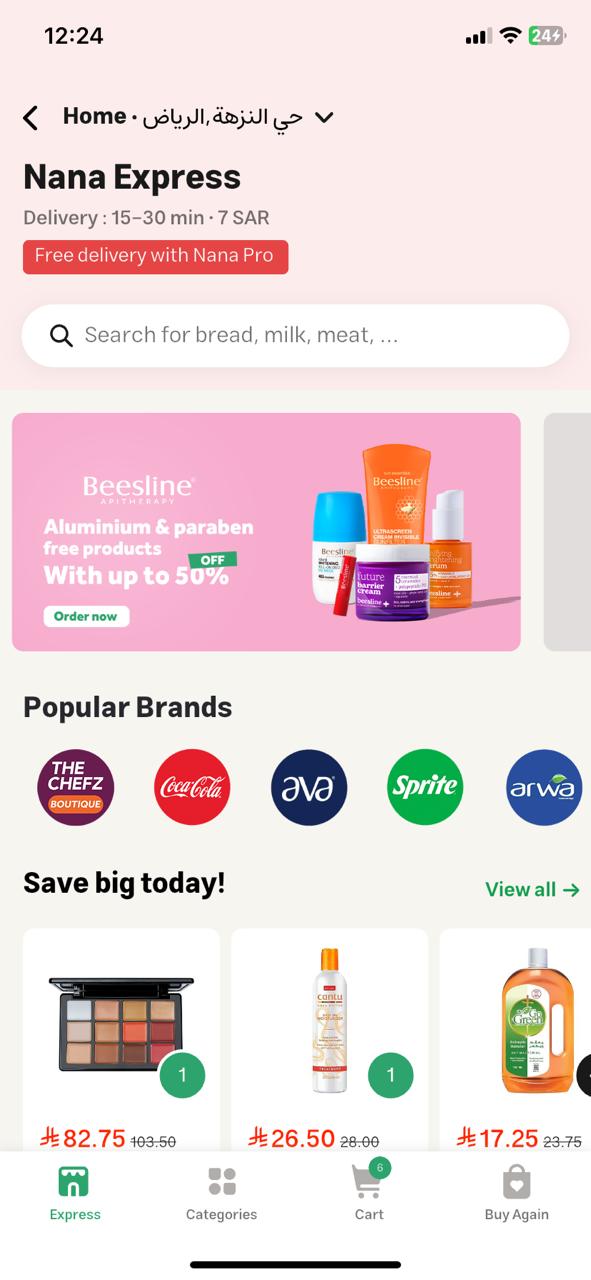
Step 1: Get Store Segment
Retrieve store segments available for your integration (e.g., hypermarkets, local shops).
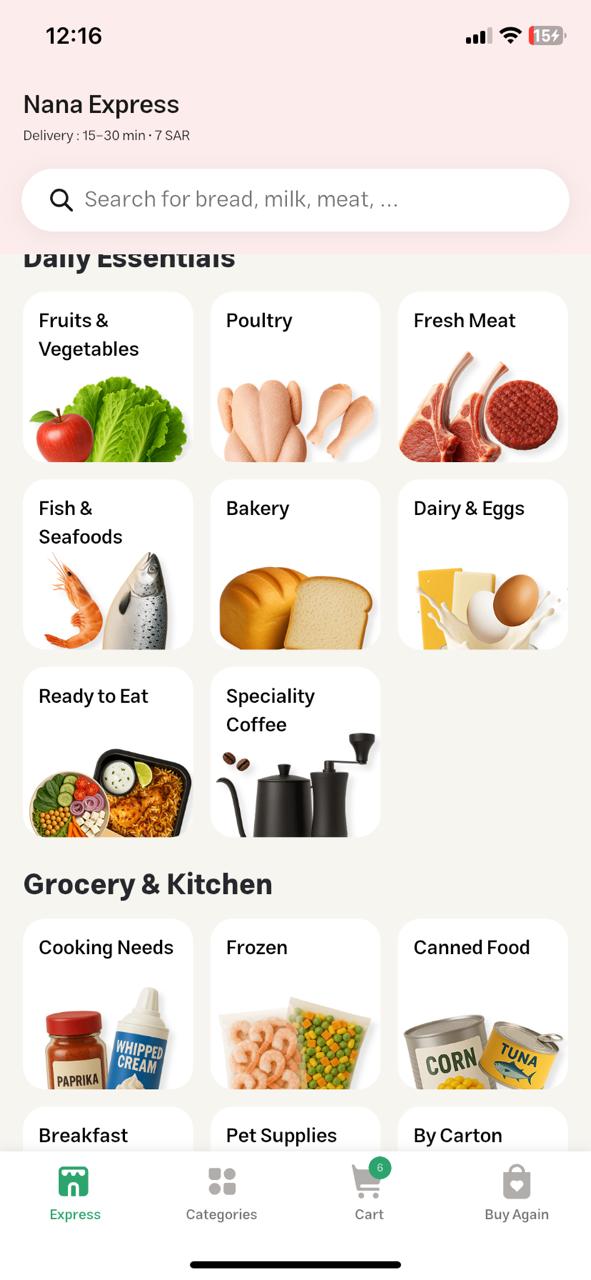
Step 2: List Collections by Store ID
Using the store_id from step 1, fetch the available product collections (e.g., fruits, bakery, beverages).
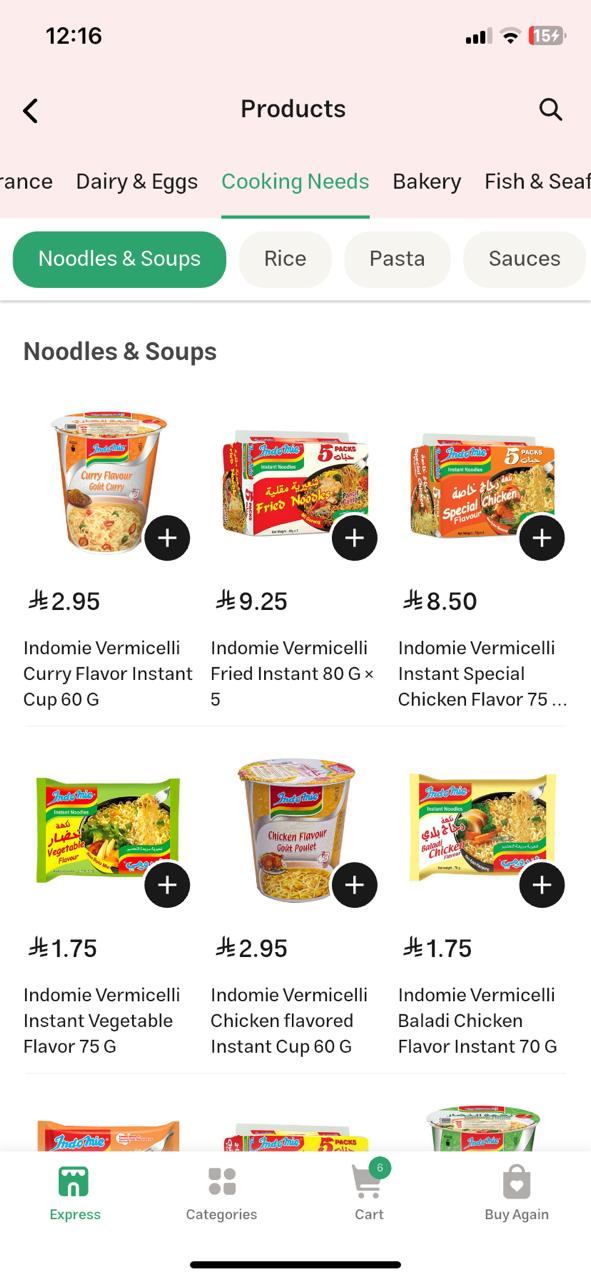
Step 3: Get Products by Collection ID
Retrieve all products in the selected collection.
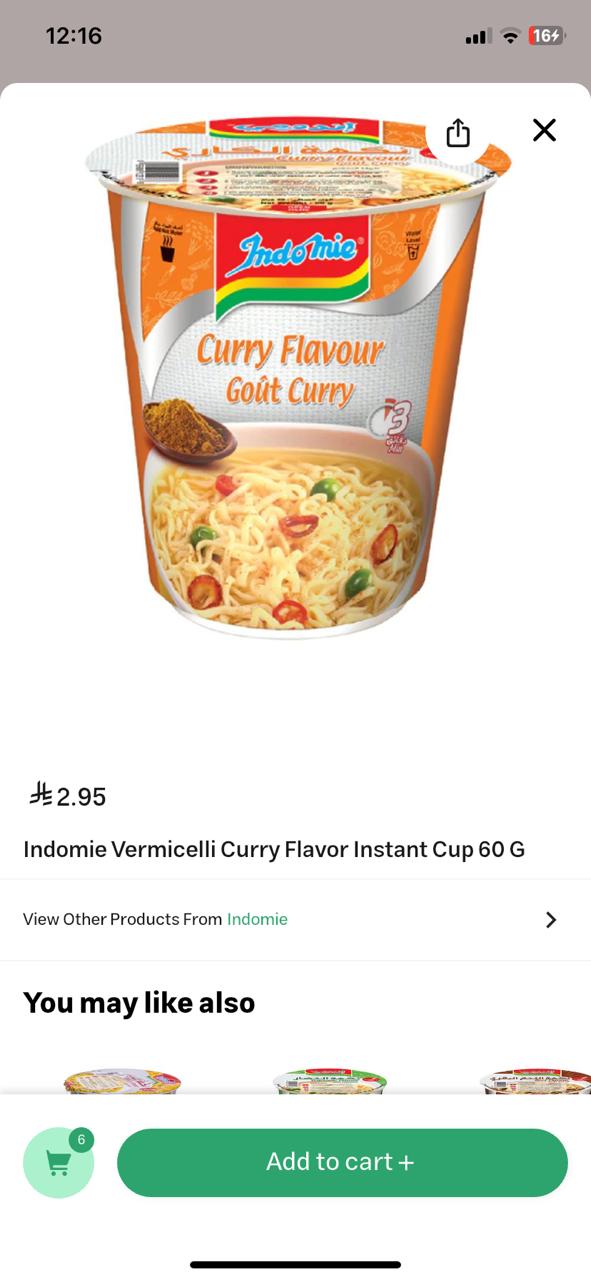
Step 4: Get Product by ID
Fetch detailed information for a specific product, such as price, availability, and attributes.
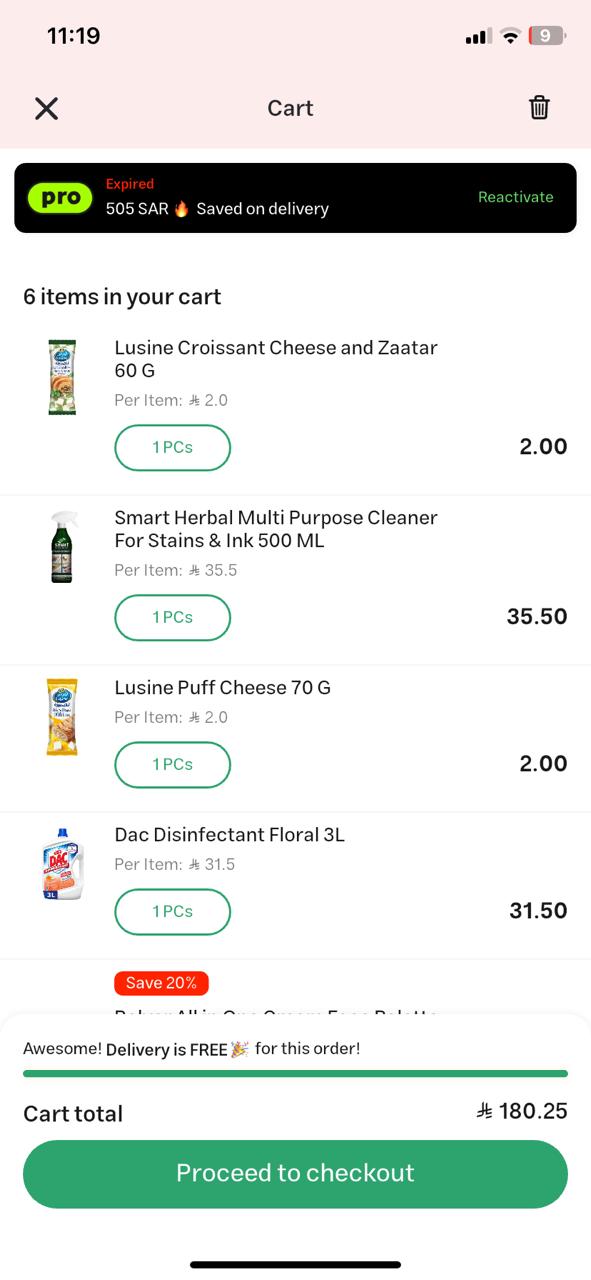
Step 5: Checkout
Create a checkout session with selected products, quantities, and delivery preferences.
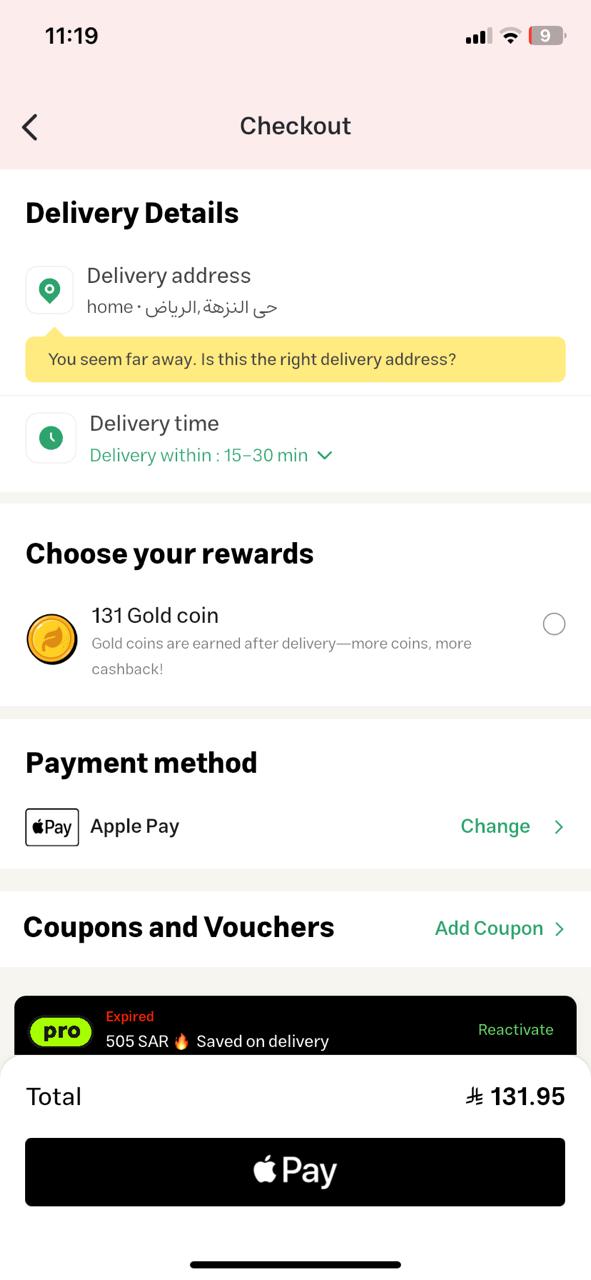
Step 6: Place Order
Finalize the checkout to create an order in our system.
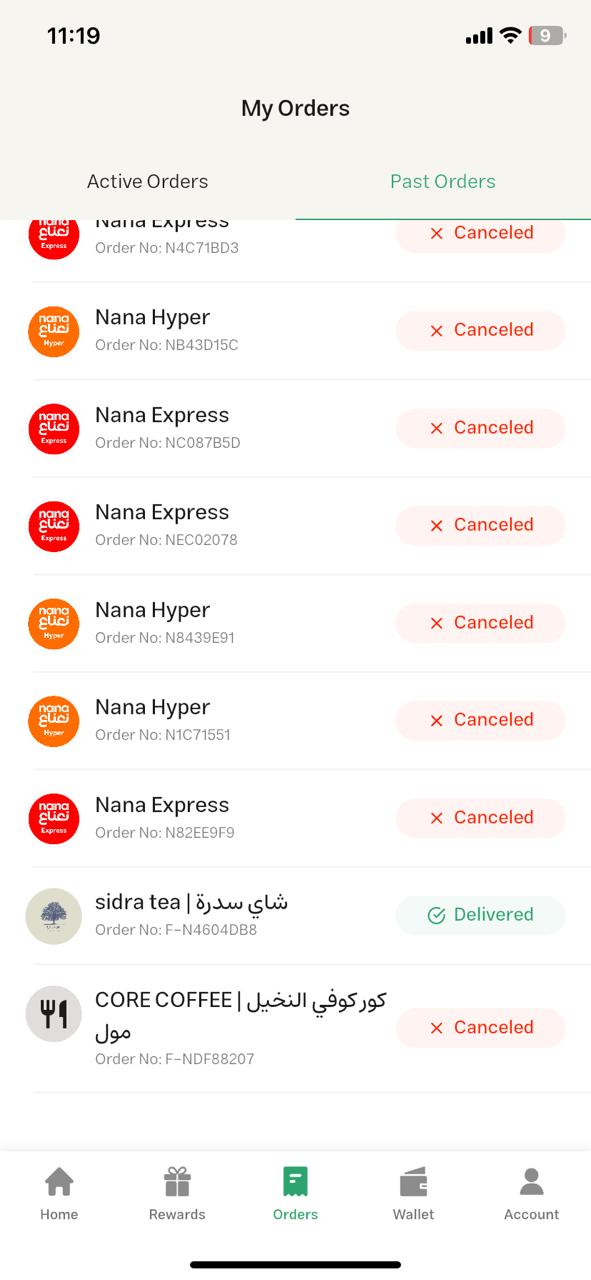
Step 7: Order List
Retrieve a list of all orders for the authenticated customer.
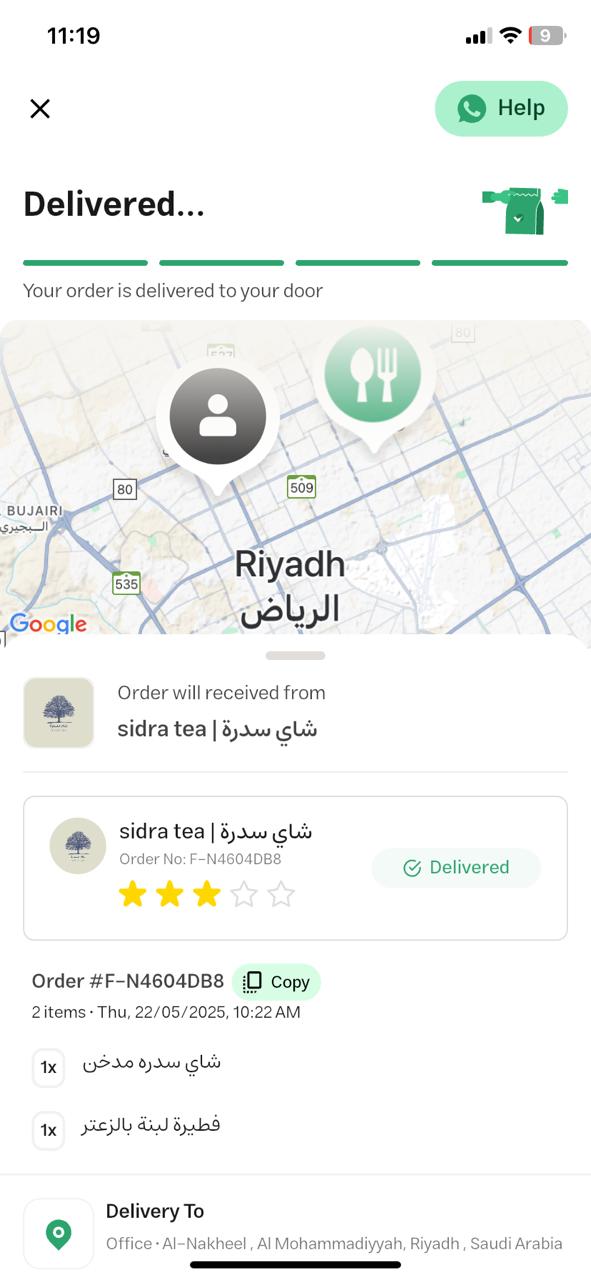
Step 8: Order Details
Get detailed information about a specific order using its order_id.
4. Sequence Diagram

Each API request must include Service Authentication headers.
Customer-related operations Colored Yellow are require Customer Authentication.
5. Next Steps for Integration
- Obtain your Service Authentication credentials from our integration team.
- Implement the API calls in the exact order described above.
- Handle both service-level and customer-level authentication.
- Test in our sandbox environment before going live.
- Move to production after successful certification.
Updated 4 months ago